Windows Server CAL
- NEW
- NEW
- NEW
- NEW
- NEW

Windows Server RDS CAL
Terminal license for remote access
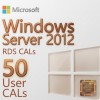
Windows Server RDS CAL (Terminal License) - This license gives users access to server functions via RDP. This license comes in two types: "Per User" and "Per Device".
• Per User - means that regardless of which device the user accesses from, access is granted through their account.
• Per Device - has its own activation requirements. "Per Device" access gives the user access to the server only from a specific device (computer).
Why buy Windows Server CAL?
Without a Windows Server CAL terminal license, only 2 users can connect to the server simultaneously. If you need broader access with more simultaneous connections, you need a Windows Server CAL license.
Remote Desktop Services (RDS) licenses in Windows Server, such as User CAL (Client Access License), are tied to users but are not permanently assigned to a specific user.
How User CAL licenses work
When you purchase 50 User CALs, you can assign them to any 50 users. If one of the users disconnects or no longer needs the license, you can reassign that license to another user. Thus, licenses can be freely moved between users, provided that the total number of active users does not exceed 50.
If you want to reassign a license to another user, you will need to do this manually through RDS license management. So, if you want another user to use an active license, you will need to revoke it from the first user and reassign it to the new one.
Important: Licenses can be freely moved between users, provided that the total number of active users does not exceed the number of purchased licenses.